Label CraftCraft. Print. Done.
Free plan · unlimited printers · no card required

Label design and printing
that finally feels effortless

Design on a canvas that responds instantly. Link a spreadsheet or a live database. Print to any printer on your network. Everything auto-saves, everything is logged — and it all runs in the browser tab you already have open.

Up and printing in about four minutes. Nothing to install to start designing.

  • Works with Zebra, TSC, Honeywell, Brother, Dymo
  • CSV, XLSX & live database linking
  • Keeps working offline
app.labelcraft.lc

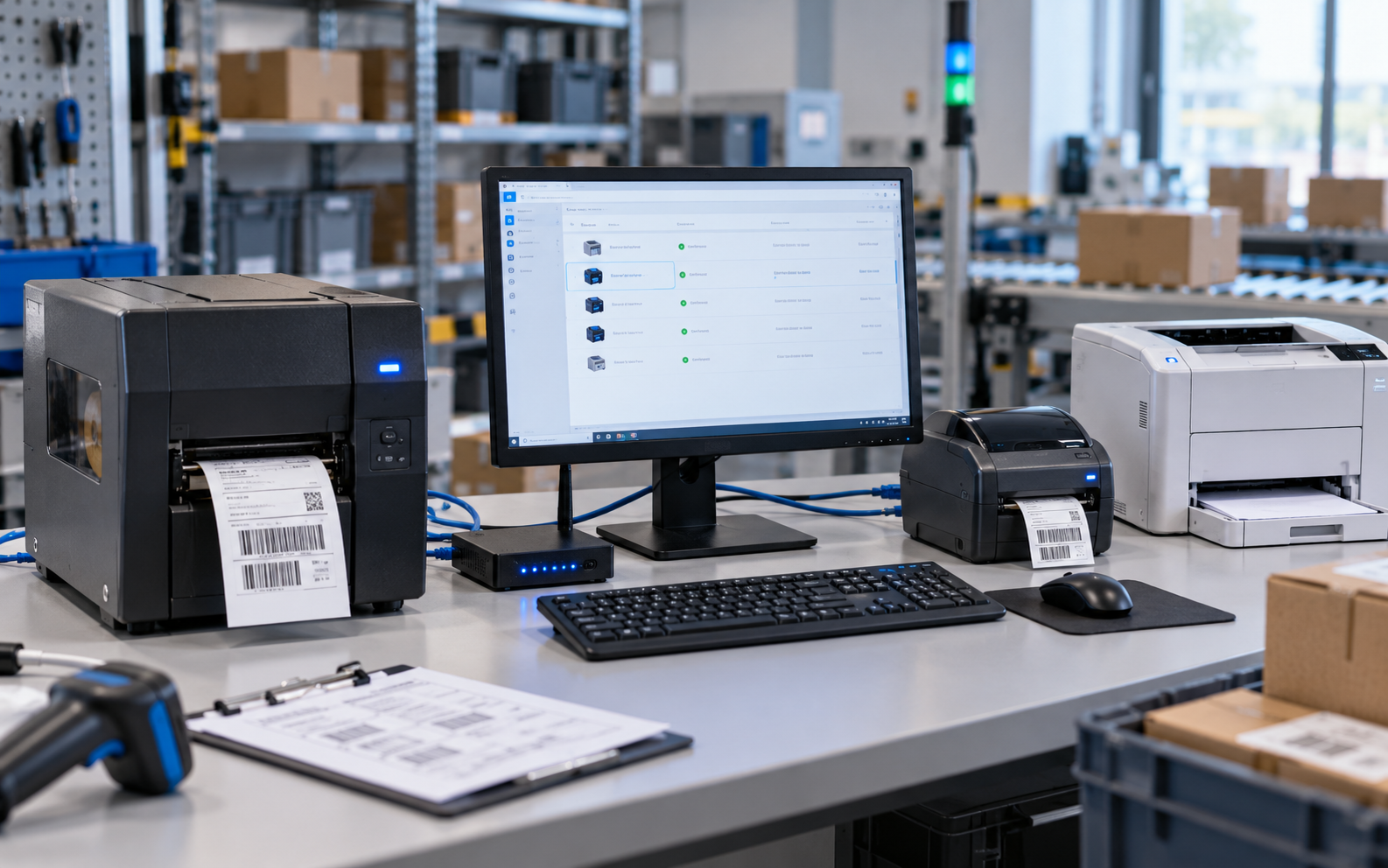
Printer Bridge discovers whatever your machine already talks to — and a good deal it doesn’t.

0msMedian canvas render, 60 fps while you drag
0minFrom sign-up to your first printed label
0%Platform uptime across the last twelve months
0Installs needed to design, approve and print
Why teams switch

Labelling should not be the hardest software you own

Most label software was designed when the printer was the computer. Label Craft was built for the way work actually happens now — shared, remote, audited and fast.

The way it usually goes

  • A licence dongle in a drawer, and one PC that can print.
  • Per-seat fees, annual maintenance, and a quote you have to ask for.
  • Version 7 of the artwork lives on someone’s desktop. Nobody is sure it is version 7.
  • A driver update breaks the printer the morning of an audit.
  • Variable data means copy, paste, pray.
  • No record of who printed what, so a recall means guessing.
  • Training a new starter takes a day and a manual.
VS

The way it goes with Label Craft

  • Any browser, any machine, anywhere. Sign in and print.
  • A free plan that is genuinely free, then flat pricing from £39 a month.
  • One shared library. One approved version. Full history behind it.
  • Printer profiles with health checks and automatic failover.
  • Map a spreadsheet column once; print ten thousand unique labels.
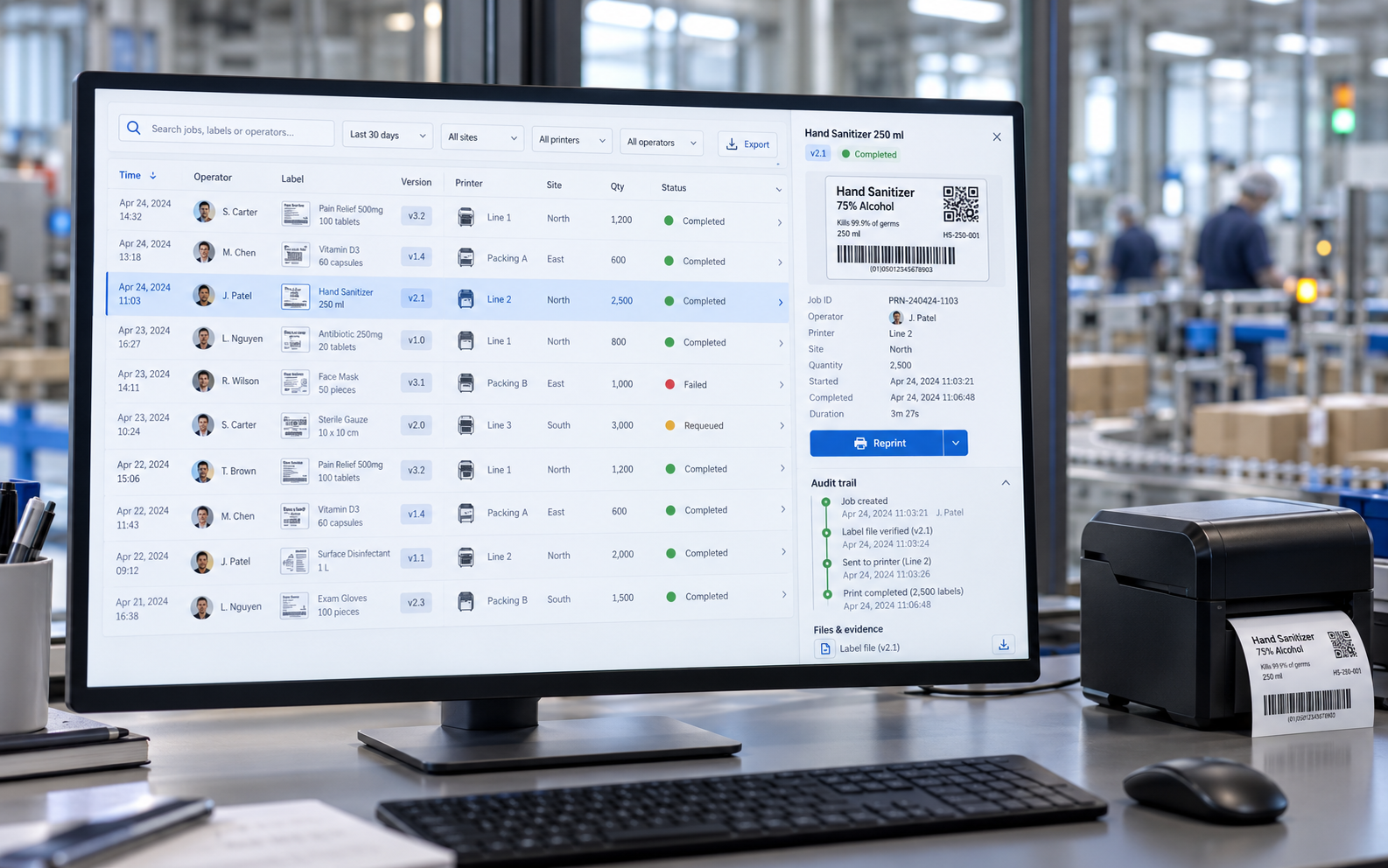
  • Every print stamped with who, what, when and which printer.
  • A new starter is printing correctly within ten minutes.
Everything, included

The whole labelling job, in one browser tab

Not a designer that hands off to a print utility that hands off to a spreadsheet. One place, from the first drag to the audit report.

So fast it changes how you work

The canvas renders in a handful of milliseconds and holds sixty frames a second while you drag. No spinner between clicking a tool and using it, no lag when a label carries a thousand rows of data. Speed is not a feature here — it is the reason people stop dreading label changes.

A designer that keeps up with you

Text, barcodes, QR, images, tables, lines, ellipses, curved text, sequential numbers and date fields — drag them on, snap them to guides, nudge them by a tenth of a millimetre. Rulers, grid, zoom and a live layers list, exactly where you expect them.

Your data, on the label, automatically

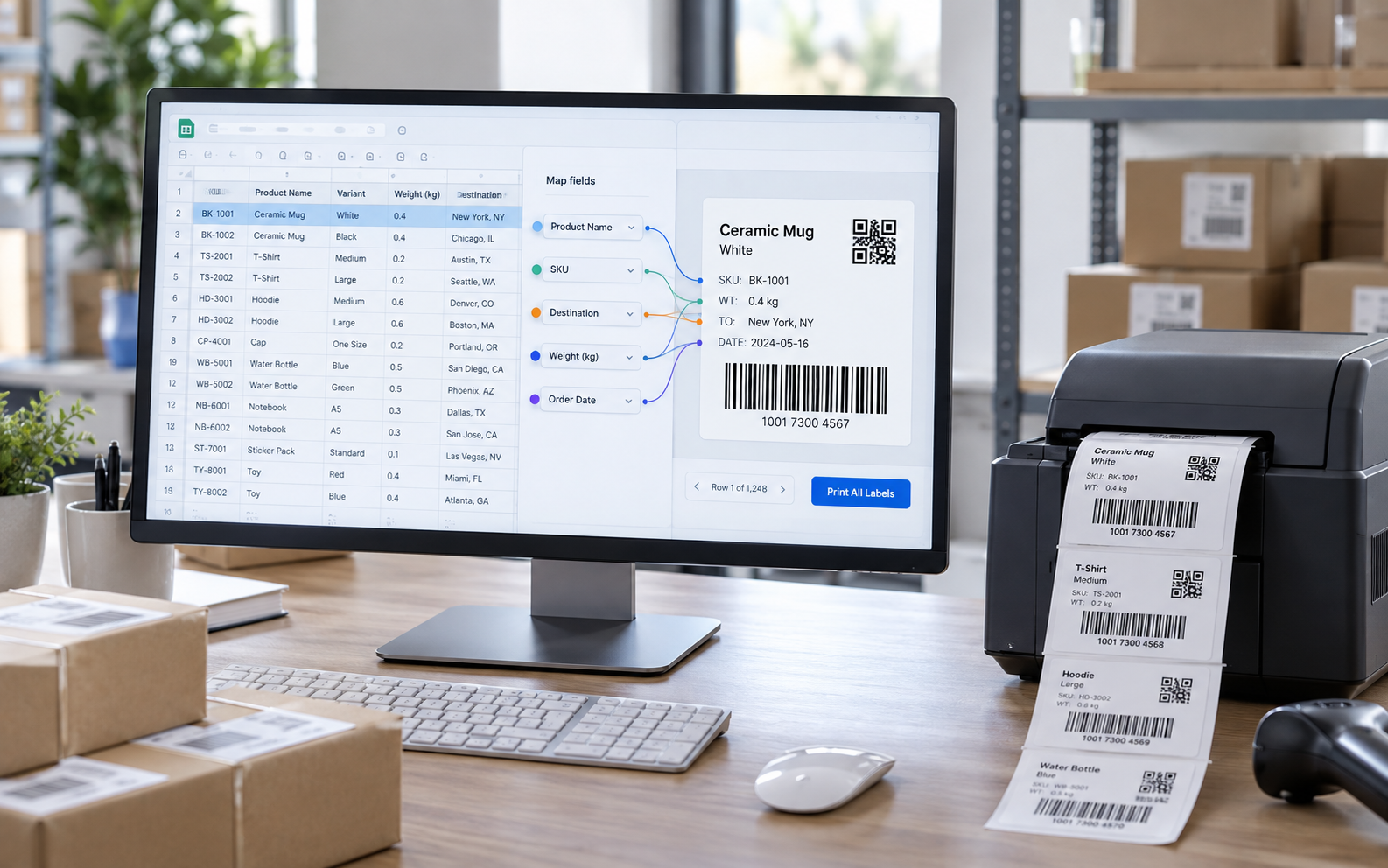
Drop in a CSV or XLSX, or wire up a live connector to the system that already holds the truth. Map a column to a field once and every row prints its own label. Shared data sets mean the whole organisation pulls from the same source.

Auto-save, always on

Every change is written as you make it, with full undo and redo. Close the tab mid-thought; it is exactly where you left it.

History and logs you can actually read

Version history per label and an organisation-wide print trail. Who printed it, when, from which printer, how many.

Carries on when the Wi-Fi does not

The editor keeps saving locally and the queue keeps its order. Everything syncs the moment you reconnect.

Approval, effectivity dates and verification

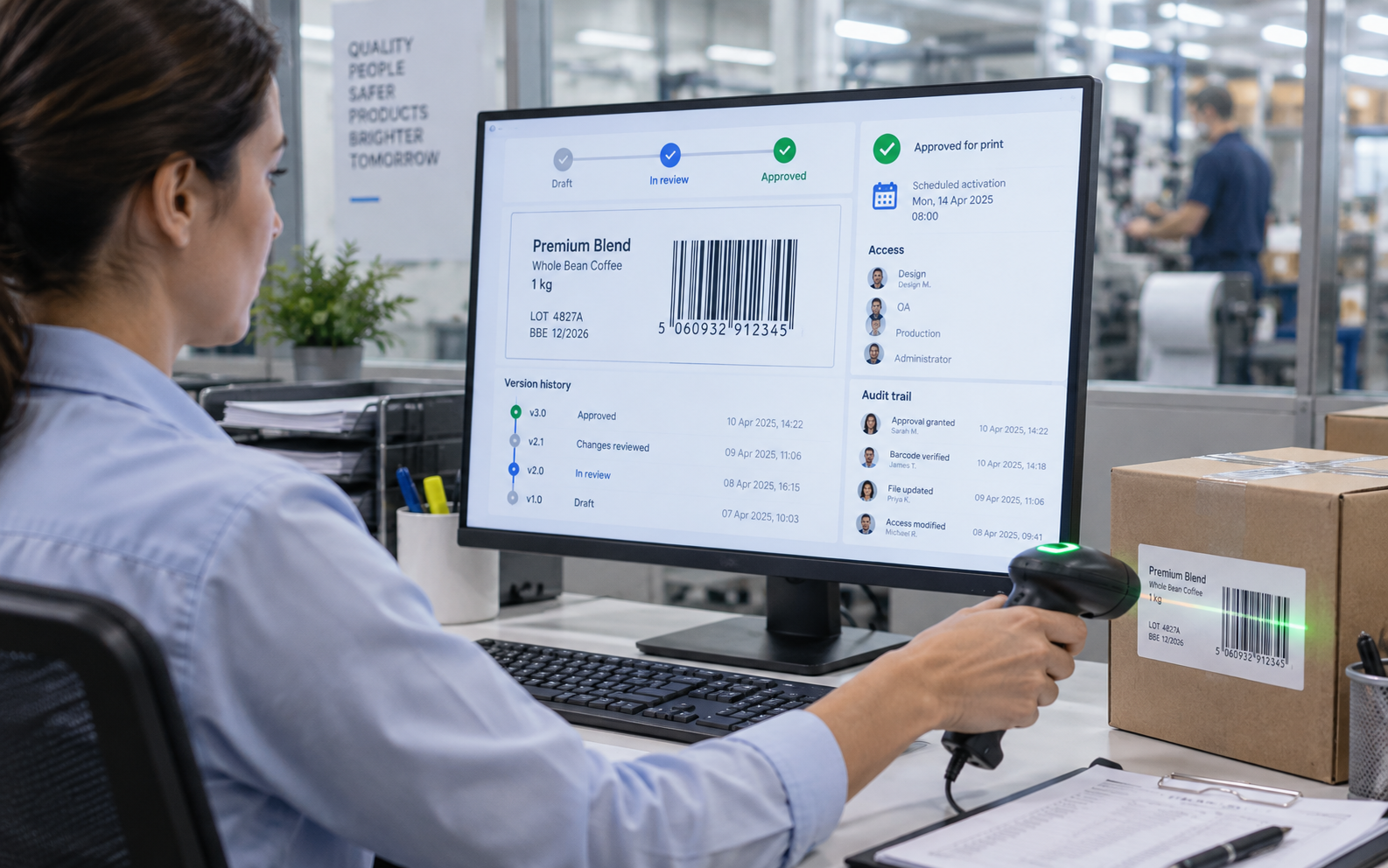
Move a label from Draft to In review to Approved, and require sign-off before it can be printed in production. Schedule new artwork to go live on a date. Read the barcode back after printing to prove it scans.

One licence, shared properly

Add your whole team, share the label library, share serial number pools across sites, and let a second location print the identical approved artwork. Seats are managed in the app, not by email to a reseller.

Native ZPL export

Export stored ZPL formats at exact DPI, or hand them to another system. What you design is what the printhead burns.

Custom to the millimetre

Any paper size in mm, cm or inches, corner radius, print DPI, copies, custom fonts and a preview background for checking artwork.

Headless API

Trigger a print from your ERP, WMS or MES. The label stays managed here; the trigger lives wherever you need it.

A closer look

Five screens is the whole product

There is no hidden second application, no separate print server console, no admin tool you have to remote into. Pick a tab.
  • Text, curved text, barcodes, QR, images, tables, lines, rectangles and ellipses
  • Sequential numbering and date fields that populate themselves
  • Rulers, snapping guides, grid, zoom and a live layers list with lock and hide
  • Paper size in mm, cm or inches, corner radius and exact print DPI
  • Custom font uploads, so brand type prints as brand type
  • Undo and redo across the entire session, not just the last action
No lag, no spinners

Quick enough that nobody waits for it

The whole editor is rendered client-side and streamed from the edge, so the round trip to a server happens after your change lands on screen, not before. You drag; it moves. You type; it is already saved.

0msMedian canvas re-render after an edit
0fpsHeld while dragging an element
0sCold load of the editor on a mid-range laptop
0kUnique labels in one job without breaking a sweat

Measured on a 2021 mid-range laptop over domestic broadband, on a label carrying 1,482 linked rows.

How it works

Three steps, about four minutes

This is the entire onboarding. There is no implementation project and no professional services quote.

Create the label

Pick a size or a preset, drag on the elements you need, and set your DPI. If you already have ZPL, import it and skip straight to printing.

Link your data

Upload a CSV or XLSX, or connect a live data source. Click a column, click a field on the label, and they are joined. Preview any row before you commit media.

Approve and print

Send it for sign-off if your process needs one, then print to any discovered printer. Every job lands in the audit trail on its way out.

Where it earns its keep

Built for the places labels actually matter

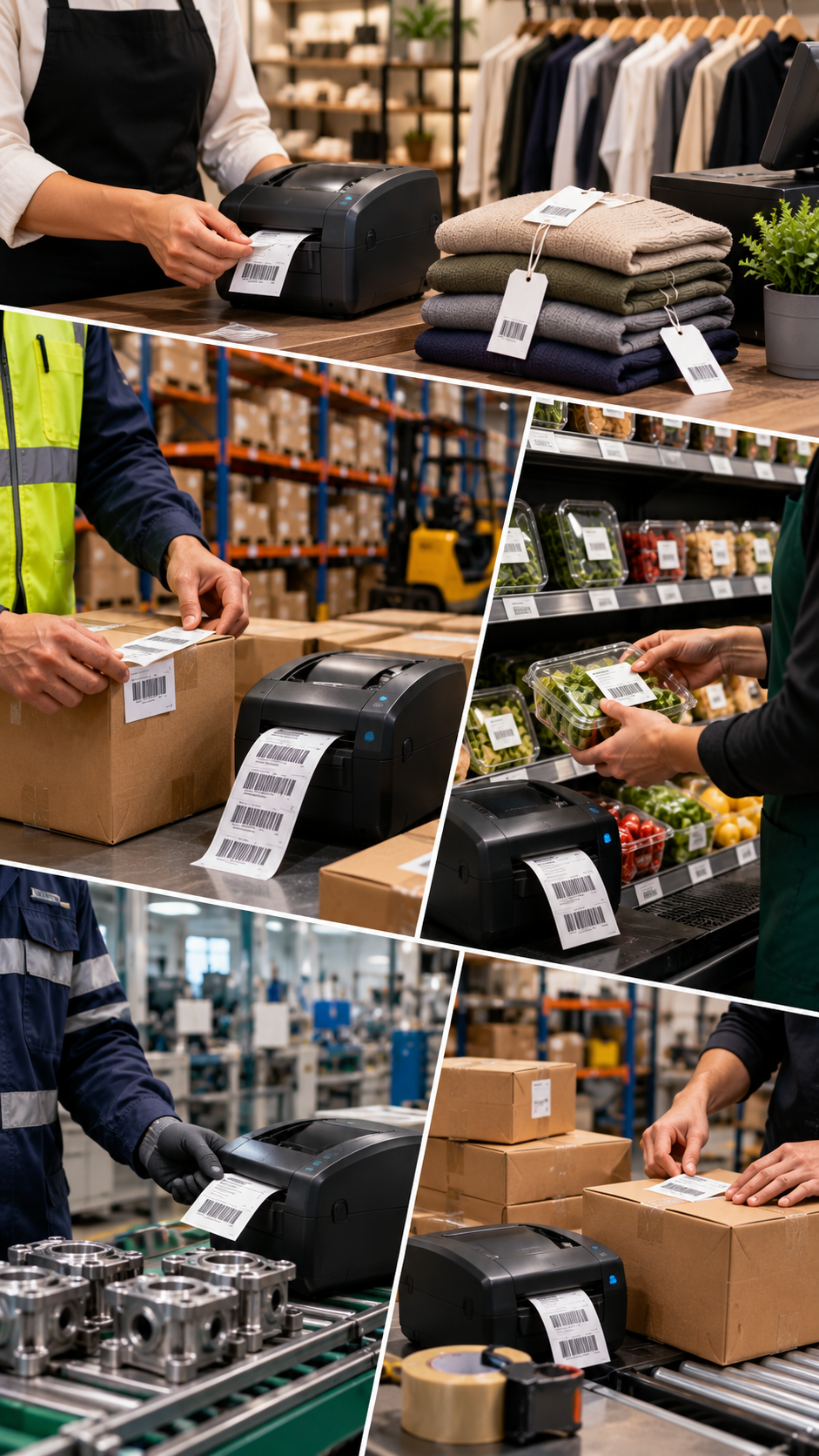
Anywhere a wrong label means a recall, a rejected pallet or a failed audit.

Food & hospitality environment

Food & hospitality

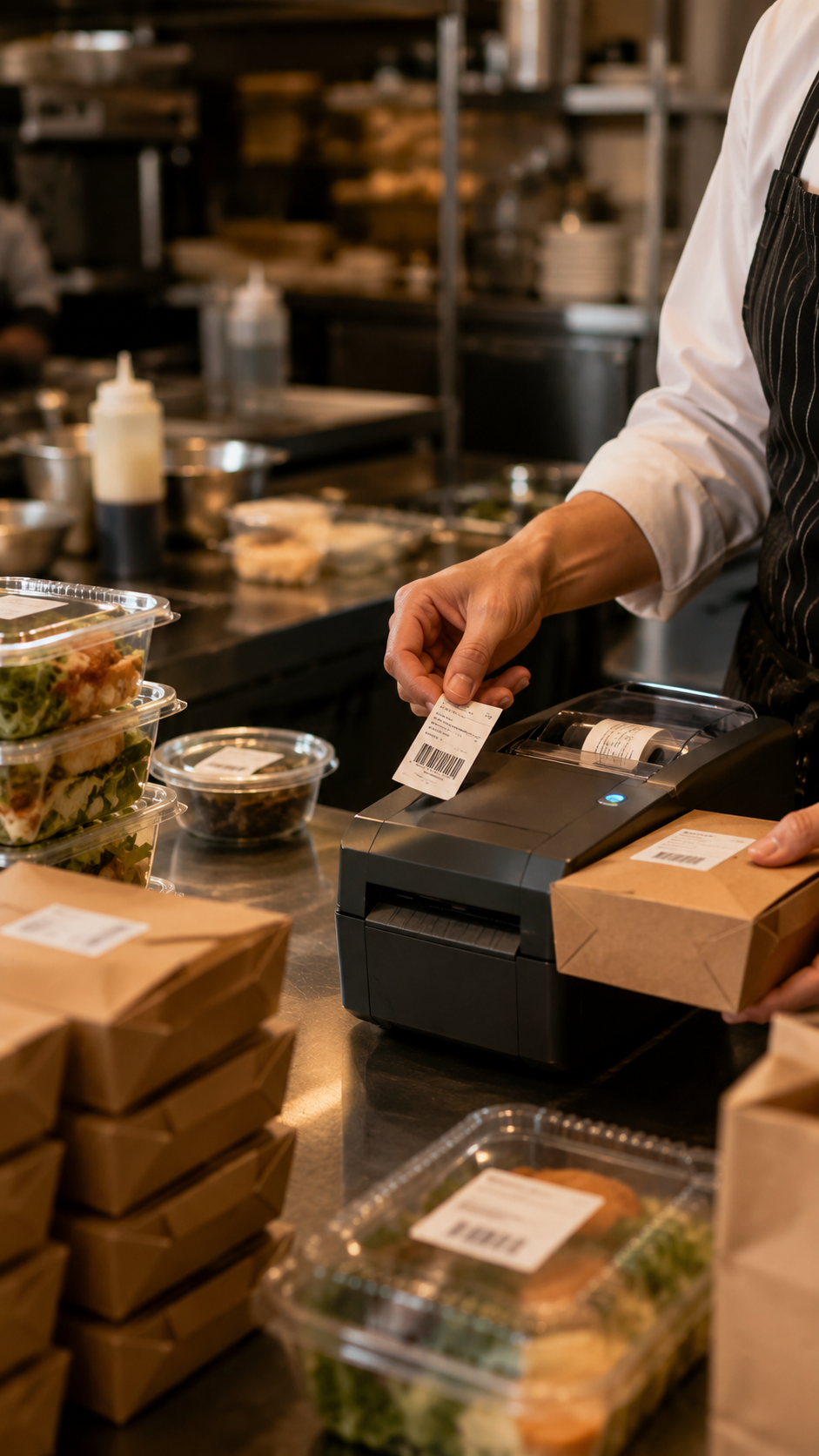
Prep and use-by labels, allergen declarations and date coding, printed identically in every kitchen.

Warehouse & logistics environment

Warehouse & logistics

GS1 barcodes, pallet and carton labels, serial numbering shared across sites so two locations never issue the same number.

Laboratory & pharma environment

Laboratory & pharma

Sample and specimen labels with verified barcodes, effectivity dates and an audit trail an inspector can follow.
Retail & manufacturing environment

Retail & manufacturing

Shelf edge, price and asset tags, product artwork with variants driven straight from the product database.

In their words

The switch is usually quieter than people expect

No migration project, no downtime, no retraining week.

We moved four sites over in a weekend. The part nobody believed was that the warehouse team needed no training — they opened a browser and printed.
Operations ManagerChilled food manufacturer, 4 sites
The audit trail paid for the whole year in one afternoon. An inspector asked which version of the allergen label ran in March and we had it on screen before they finished the sentence.
Quality LeadReady-meal producer
Our old licence cost more per seat per year than this costs for the whole site. I kept re-reading the pricing page expecting a catch.
IT ManagerThird-party logistics provider

Example quotes for layout. Replace with real, attributed testimonials before launch.

Pricing

The cheapest serious label software you will price this year

Flat monthly pricing, cancel whenever. No per-seat fee, no maintenance contract, no quote to chase. The free plan is a real plan, not a countdown.

Free

Freeforever

One site finding its feet: a handful of labels and a couple of people.

Unlimited people · 5 labels · Unlimited printers

Start free
  • Shared label library
  • Barcode read-back verification
  • Shared serial numbering
  • Organisation audit trail
  • Stored ZPL formats
  • Approval workflow & effectivity dates
  • Printer profiles, health & failover
  • Live data connectors
  • Headless API access

Starter

£39per month

A single site printing every day, with numbering and a trail of what was printed.

5 people · 50 labels · 3 printers

Choose Starter
  • Shared label library
  • Barcode read-back verification
  • Shared serial numbering
  • Organisation audit trail
  • Stored ZPL formats
  • Approval workflow & effectivity dates
  • Printer profiles, health & failover
  • Live data connectors
  • Headless API access

Group

£299per month

Several companies or sites under one roof, with API access for other systems.

Unlimited people · Unlimited labels · Unlimited printers

Choose Group
  • Shared label library
  • Barcode read-back verification
  • Shared serial numbering
  • Organisation audit trail
  • Stored ZPL formats
  • Approval workflow & effectivity dates
  • Printer profiles, health & failover
  • Live data connectors
  • Headless API access
Prices exclude VAT. Payment is handled entirely by Stripe — this application never sees a card number. If a payment fails, designing pauses after a fortnight and printing carries on for a month, because labels are how product leaves the building.
Straight comparison

What you normally pay extra for

Traditional label suites unbundle the things that make labelling safe and sell them back as modules. We include them at every tier, including free.

Feature comparison between Label Craft and typical traditional label software
CapabilityLabel CraftTypical desktop suiteTypical printer-bundled tool
Runs entirely in the browserIncludedNot availableNot available
Free plan with unlimited printersIncludedNot availableNot available
Print audit trail included on every planIncludedAdd-onAdd-on
Barcode read-back verification includedIncludedAdd-onNot available
Automatic local printer discoveryIncludedIncludedNot available
Live database connectorsIncludedAdd-onAdd-on
Approval workflow & effectivity datesIncludedAdd-onNot available
Keeps working offlineIncludedNot availableIncluded
No per-seat licence feeIncludedNot availableNot available
No annual maintenance contractIncludedNot availableNot available
Set-up measured in minutes, not weeksIncludedNot availableNot available

Comparison describes common licensing patterns in the category, not any one named product.

Questions

Everything people ask before signing up

Short answers, no sales fog. If yours is not here, email us and we will answer it properly.

What is Label Craft?
Label Craft is browser-based label design and printing software. You design labels on a drag-and-drop canvas, link them to a spreadsheet or a live database, send them to any label printer on your local network through Printer Bridge, and keep a full audit trail of everything printed. There is nothing to install on the designer's machine — it runs in Chrome, Edge, Safari and Firefox.
Do I need to install anything?
Designers do not. Everyone designs, approves and triggers prints from the browser. The only optional component is Printer Bridge, a small helper that runs on one machine per site so the browser can reach thermal and desktop printers on your local network. It installs in under a minute on Windows, macOS or Linux and keeps itself updated.
Which label printers does Label Craft support?
Printer Bridge automatically discovers every printer your operating system already knows about, plus network printers by IP address. Zebra, Honeywell, TSC, Godex, Citizen, SATO, Brother and Dymo all work, alongside any Windows or CUPS driver. Zebra and compatible printers additionally get native ZPL output at exact DPI, so what you design is what the printhead burns.
Can Label Craft print variable data from a spreadsheet or database?
Yes. Upload a CSV or XLSX file and map columns to fields on the label, or connect a live data source so the label always pulls current values. Sequential numbers, dates, barcodes and QR codes populate automatically, and a single job can print thousands of unique labels without one copy-paste.
Does Label Craft work offline?
Yes. The editor keeps working if your connection drops — the status indicator turns amber, edits keep saving locally, and everything syncs the moment you are back. Queued print jobs go out in order. A dropped Wi-Fi signal never stops a production line.
How much does Label Craft cost?
There is a genuinely free plan with unlimited people, unlimited printers and five labels — no card and no trial clock. Paid plans are £39 a month for Starter, £99 for Site and £299 for Group. That is a fraction of the per-seat licences and annual maintenance contracts charged by traditional label software, and every plan includes the audit trail and barcode verification that competitors sell as paid add-ons.
Is my work saved automatically?
Continuously. Auto-save is on by default and every change is written as you make it, with full undo and redo. Each save is a version, so you can review the history of a label, see who changed what, and roll back to any earlier state.
Can I control who is allowed to print a label?
Yes. Labels move through Draft, In review and Approved, and you can require sign-off before a label becomes printable in production. Effectivity dates let new artwork go live automatically on a set date. Every print is recorded against a person, a printer and a timestamp in the organisation audit trail.
Can I share one licence across several sites?
Yes. A single organisation covers multiple sites, and the Group plan is built for several companies under one roof. The label library, serial number pools and printer profiles are shared, so a label approved centrally prints identically in every location.
How do I move my existing labels across?
Import your existing ZPL formats directly, or rebuild designs on the canvas in minutes using the elements you already know — text, barcodes, images, tables, shapes, curved text and date fields. Our team migrates your label set for you at no charge on Site and Group plans.
Is Label Craft suitable for regulated environments?
It is used for food labelling, pharmaceutical sample tracking and manufacturing traceability. Approval workflow, effectivity dates, version history, barcode read-back verification and an append-only audit trail give you the evidence chain auditors ask for.
What happens if a printer fails mid-run?
Printer profiles include health monitoring and failover. If a printer stops responding, the job routes to the next printer in its group and the incident is logged. You find out from a notification, not from an empty label bay.
Free forever plan · no card required

Print your first label before your coffee goes cold

Create an account, drag on a barcode, point Printer Bridge at the printer in the corner, and hit print. If it takes longer than four minutes, tell us and we will fix whatever slowed you down.

One email with a guided walkthrough and a sample label set. Unsubscribe in one click.